2) "My photo doesn't look sharp, why?"
A photo can be blurry for one of
six main reasons:
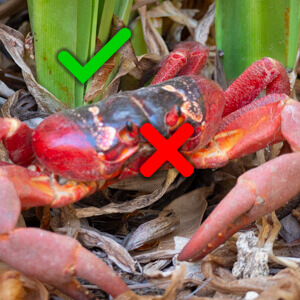
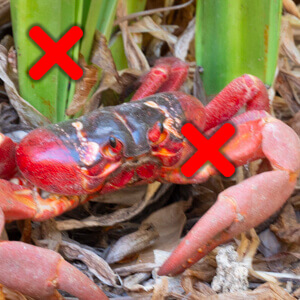
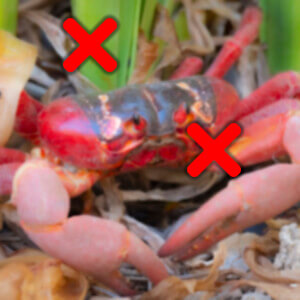
FOCUS: Your subject might actually not be in focus because the camera focused on the wrong thing. If your subject looks a bit blurry, look around in the photo to see if something else in the shot is actually sharp; perhaps the branches behind the bird, the water behind the whale, or the shoulder rather than the eyes of the lion. If so, then you need to get better at focusing. Use a single, small AF point and be sure it's right on your subject when you focus. If the subject is moving towards or away from you, consider using continuous auto focus (AF-C) or tracking focus so that the focus updates as the subject's distance changes. If the subject is basically stationary, then I usually recommend single auto focus (AF-S).
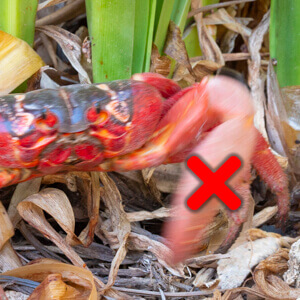
SUBJECT MOVEMENT: Your subject might be moving too fast for your shutter speed. If your subject moves while the shutter is open, soaking up the image, then you're going to end up with movement blur. Use a faster shutter speed. Often this movement blur obvious and you can even see the direction of the streaky movement in just the wings perhaps. It can sometimes be hard to tell apart from just a focus issue but a dead giveaway can be to take a look at what shutter speed was used. There is no way, for example, you can expect to freeze a bird in flight at 1/50th second! For a stationary bird on a branch, maybe as slow as 1/50th will look okay but you do then start to risk the next kind of problem, which is camera shake.
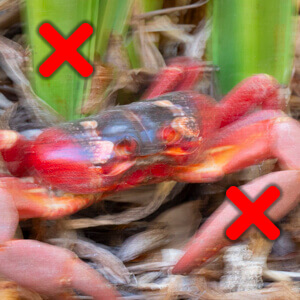
CAMERA SHAKE: You're not holding the camera steady enough for your shutter speed. Just like with a moving subject, if you're wobbling
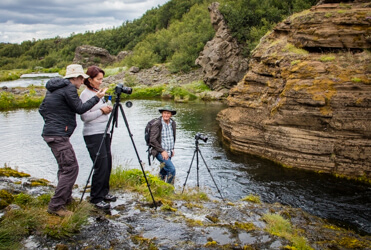
the whole camera around while the photo is being captured, unless your shutter speed is fast enough, the whole image is going to suffer movement blur. Unlike subject movement blur, camera shake will affect the entire image. There are a few things you can do to try and remedy this issue. Ensure the stabilising mode on the side of your lens is switched to ON. Use a faster shutter speed because the longer your lens (the more you've zoomed in), the worse camera shake becomes and the faster shutter speed you need to avoid it. A good rule of thumb can be to avoid shooting shutter speeds slower than 1/focal length (i.e. 1/100th sec for 100mm lens is about as slow as you can reliably hand hold), and use a rest like a bean-bag or tripod. Weirdly though, you can still get camera shake effects on a tripod sometimes, no matter how steady it is. See the next point for more.
STABILISER-INDUCED SHAKE WHEN ON TRIPOD: Strangely, many stabilising systems freak out a little if the camera is incredibly steady and it can't find any vibration to correct for, such as when the camera is on a tripod. This can result stabilising system creating movement and softening your image. If you're leaving your camera on a tripod to take long, slow exposure such as landscapes, waterfalls or stars, turn the stabilising off. If your camera's steady anyway, you don't need the stabiliser, it's just wasting battery and it might be creating unwanted movement blur. This only seems to happen with some lenses, and I didn't believe this was really a thing until I saw it, and tested it several times. It's very real!
POOR QUALITY LENS FILTER: Poor quality UV filters, lens protectors, polarising filters and so on can really soften your image. I
always start each photo tour off by encouraging each guest to take the same test photo with and without their UV filter / lens protector attached (if they're using one). They can then review their photo on the back of the camera, zooming right in and flicking between the two shots and decide if they're happy with the quality loss. There should be no quality loss for a good filter. You get what you pay for but be aware that even high-end brands like Hoya offer a range of quality from entry-level up to pro. Great filters are expensive but there's no point paying thousands of dollars for a pin-sharp lens and then ruining it by putting a $20 filter across the front. But equally, it's worth protecting the front of an expensive lens, so get a good filter. If it's a cheap lens, then get a cheap filter.
MAYBE IT ACTUALLY IS SHARP, CHECK IT ON A COMPUTER: There can be a few common traps when trying to decide if a photo is sharp or not by reviewing it on the back of the camera. Some cameras let you digitally zoom in to the photo beyond 1:1 pixel zoom level, to the point where you're starting to magnify individual pixels. Unsurprisingly the image starts to look blocky and lacking in fine detail, where as in actual fact, it's
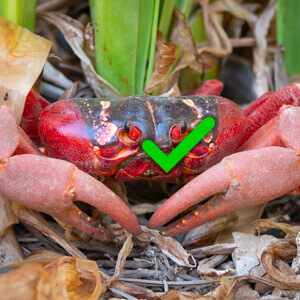 |
perfect. If you can, turn off this feature in the camera's menu. The other issue can be if you're just shooting RAW and reviewing on the camera. Some cameras (including the GH5) don't save a full-resolution JPG preview file inside their RAW files and it's always this JPG preview ‘inside the raw file' that is shown when you review a RAW photo on a camera. This means that when reviewing a RAW image on some cameras, if you zoom right in, the image might start to look blocky and lacking in fine detail – just for the last couple of zoom-intervals – but again, when you look at the image later on a computer, bingo, all the fine detail is there after all and the image is pin sharp. If you need reassurance out in the field, you can shoot both RAW and JPG together (then when reviewing, it will show you the full-resolution JPG) or you can often tell the camera to create a full-resolution JPG from a selected RAW file, and you can check that instead.